
AI intent analysis
Detects urgency language, bank impersonation, money-transfer pressure, and common scam tactics across Khmer and English messages.
Broryat is an AI bot that helps protect people from online scams. Send the bot a suspicious link, message, or file to analyze the risk and get immediate guidance.
Telegram Channel:broryat_ai
Broryat focuses on the message patterns people actually receive in Telegram chats and forwarded content.
Detects urgency language, bank impersonation, money-transfer pressure, and common scam tactics across Khmer and English messages.
Checks URLs, APKs, EXEs, ZIPs, PDFs, and the file types attackers usually use to deliver phishing or malware on Telegram, powered by the VirusTotal v3 API.
Add the bot to a group so members have one place to review suspicious content before anyone opens it.
Add Broryat via Telegram Chat Automation to scan incoming links and files in your private chats against VirusTotal, leaving ordinary messages untouched. Only you decide whether to delete a confirmed threat.
Below are common message patterns used by bad actors:
Telegram Message
Phishing messages often claim you won a reward, need to verify an account, or must respond to an urgent problem, then push you toward a link immediately.
Analysis
The key signs are urgency and a non-official domain. After you click, the page may ask for your password, OTP codes, banking details, or other private information.
Recommendation
Do not open links from messages like this without checking them first. Verify the domain carefully, and if you are unsure, send the link to Broryat before opening it.

Telegram Message
Suspicious files are often disguised as resumes, invoices, receipts, or app updates, and may use unusual extensions like .pdf.z, .apk, or archives that hide another file inside.
Analysis
The real issue is not just the file name but the true extension and what the file actually runs. Files like this may be archives or payloads that hide malware installation or data theft.
Recommendation
Do not open files with suspicious extensions. Scan them first, and if someone claims the file is a resume or work document, ask for a normal PDF through a trusted channel.

3 Simple Steps, No dashboard and no extra setup. Open Telegram and send the suspicious content to the bot.
01
Open Telegram and search for @broryat_bot to start a chat with the official bot.
02
Forward the message, paste the link, or send the file to the bot without opening it first.
03
The bot replies with a risk judgment and a practical next step so you know whether to avoid it or verify further.
Recent reads on scam patterns, fake links, and protecting your Telegram account.
Broryat Chat Automation automatically scans incoming links and files via VirusTotal, providing owner-only threat controls without ever storing your private messages.
Read article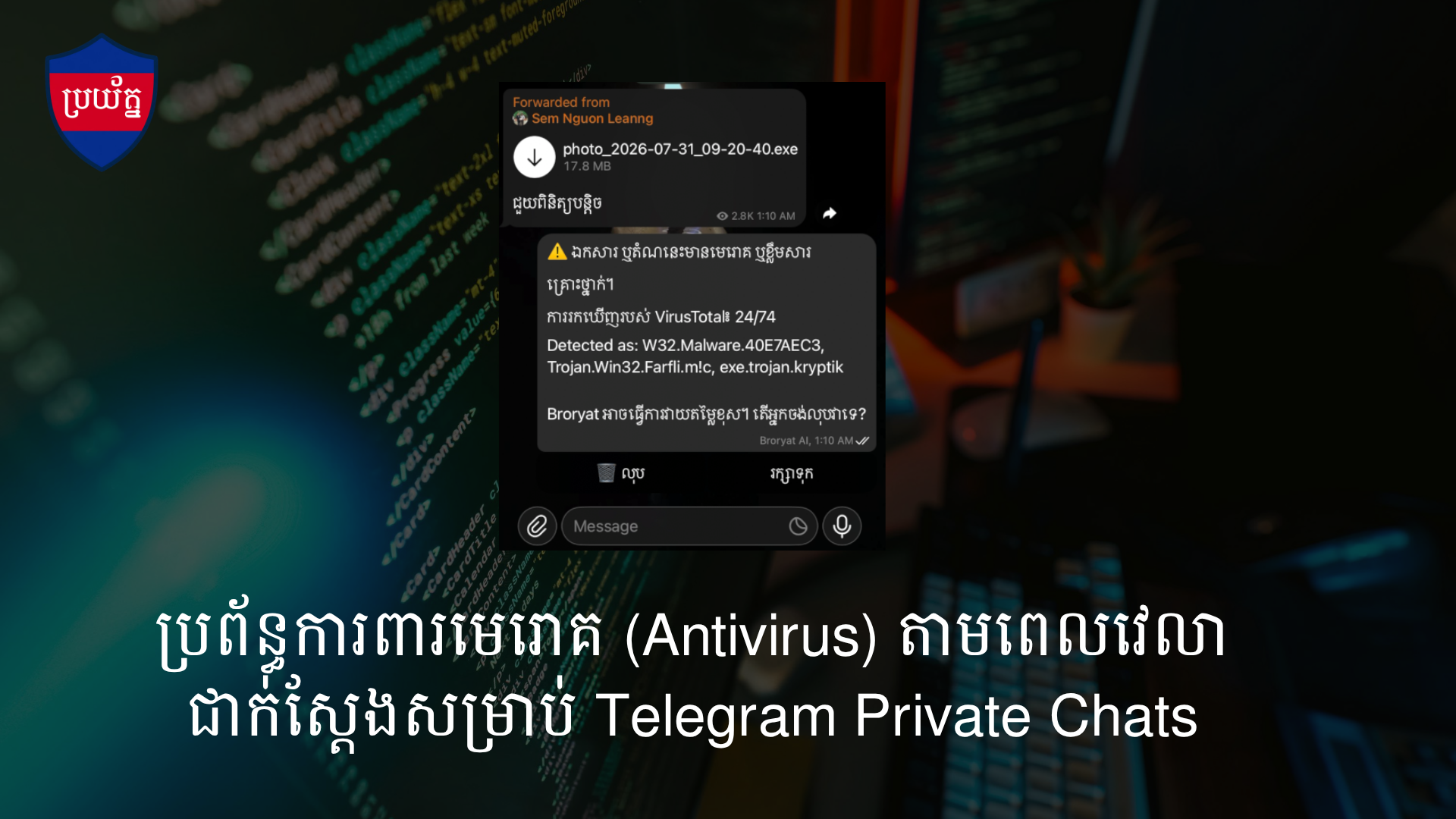
An important update and clear explanation for the community regarding how Broryat AI analyzes files or links, our reliance on world-class security tools, and how we leverage AI for accessible Khmer explanations.
Read article
Telegram's official domain redirection link (t.me) is currently experiencing a global server issue, preventing web users from redirecting to bots, chats, or channels. Read this article to understand the cause and learn how you can easily access Broryat AI's services during this outage.
Read article
Use these walkthroughs and how-to reads before you open or forward suspicious content.
Broryat
Open Telegram and send it to Broryat for an immediate risk review.